Evalato Explained

Everything You Need to Know About Evalato

Got a question about using Evalato awards platform? You’re in the right place. Here you’ll find answers to the most common questions about setting up a program, managing payments, applications, judging, and more.

Evalato is loved by award managers in 80+ countries for its ease of use, powerful features, and flexibility to fit any awards program or power list.
The world’s biggest brands trust Evalato.

Getting started

What is Evalato?
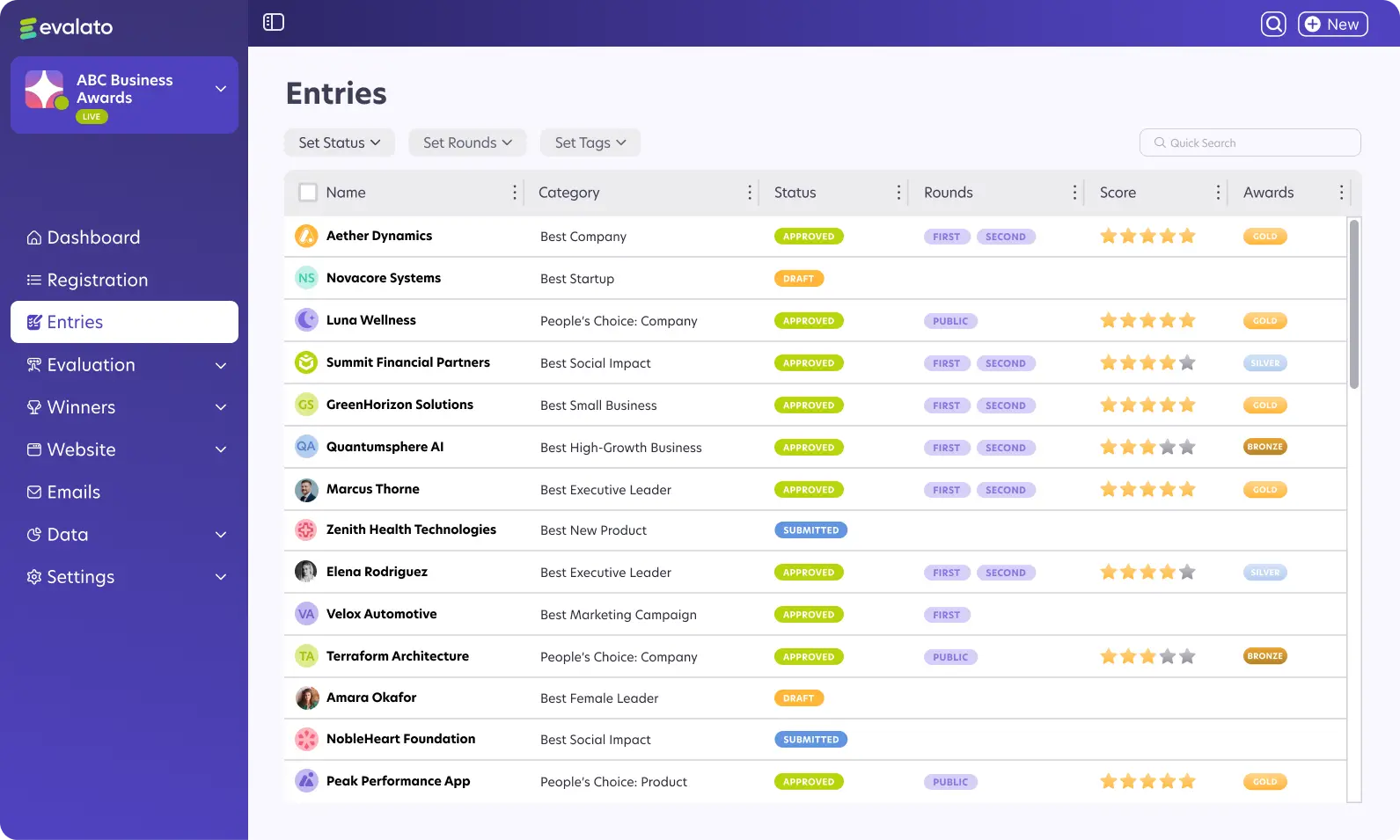
Evalato is awards management software that helps you make the process of managing awards easier, saving you time from administrative work. Thanks to it, you don’t need spreadsheets or different tools. Through Evalato, you can accept entries, collect payments, manage judging, and showcase winners. It’s built to streamline your entire workflow, so you can launch and run your program with confidence.
What types of programs is Evalato suitable for?
The Evalato software is an excellent fit for programs including awards, competitions, powerlists, indexes (e.g. Top 100), or other industry and academic recognitions.
Can Evalato handle nominations and rankings for power lists?
Yes, Evalato software makes it easy to collect nominations, assign judges to evaluate, and publish ranked lists. This makes it a great fit for a variety of recognition programs.
What features does Evalato offer that are specific to awards programs?
Evalato includes tailored features like multiple judging rounds, public voting, score normalization, and real-time results. Everything in the software is built to make managing awards easy, fair, and efficient.
How do I create a new program in Evalato?
Setting up a new program in Evalato is extremely straight forward. You can either start from scratch or choose one of the software's premade templates and customize it to fit your exact needs.
How long is a program active in Evalato?
After going live, a program can remain active for 365 days. It automatically switches to "Closed" after that. You can easily clone it for the next year’s edition so you don’t have to start from scratch.
What are the different program statuses in Evalato?
Programs can be in “Test” mode for setup and testing, “Live” for accepting entries, or “Closed” when the program duration expires or if manually closed.
Can I make edits to my program after it goes live?
Yes, you can edit most parts of your program after it goes live. However, some settings, like tax settings and program currency, cannot be changed after sales are made. Other changes, like editing forms, domains, or categories, are technically possible but not recommended, as they may result in data loss.
Is there a limit to how many questions or sections we can include in the form?
No, you can add unlimited sections, fields, and questions to your forms.
What languages does Evalato support?
Evalato supports 40+ languages for the applicant and judging portals, and you can set each program in one language of your choice.
Here’s the full list of languages you can set in Evalato in alphabetical order: Albanian, Arabic, Armenian, Belarusian, Bosnian, Bulgarian, Chinese (Simplified), Chinese (Traditional), Croatian, Czech, Danish, Dutch, English, Estonian, Finnish, French, French (Canada), German, Greek, Hebrew, Hungarian, Italian, Japanese, Korean, Latvian, Lithuanian, Macedonian, Moldavian, Norwegian, Polish, Portuguese, Portuguese (Brazil), Romanian, Russian, Serbian, Slovak, Slovenian, Spanish, Spanish (LATAM), Swedish, Turkish, Ukrainian.
What currencies does Evalato support?
Evalato supports 160+ currencies with built-in automatic currency conversion. Program, payment processor, and card currencies are synced in real time for smooth transactions.
How does currency conversion work in Evalato?
Evalato supports automatic currency conversion when different currencies are involved. Prices show in your program’s default currency, payments are processed in your payment processor’s currency, and customers pay in their card’s currency. Conversion happens automatically when these currencies differ.

Pricing, Payments & Billing

Can I try Evalato for free before paying?
Of course, you can start setting up your program in Test mode. You’ll only pay when you decide to switch to Live mode and launch your program.
What are the differences between Evalato’s plans?
The Grow plan includes core features like customizable forms, entry fees, public voting, and analytics. Pro adds branding, custom domain, video hosting, score normalization, and embeddable winners lists. Enterprise is a custom plan that lets you add services like white-labeling, priority SLA support, and a dedicated account manager.
How does Evalato’s pricing work?
Each plan includes a one-time fee per program, paid when you go live. Your program stays active for up to 12 months, and you can renew or clone it for the next edition. The plans have a limit on applications, which you can upgrade anytime. See full pricing details.
Can I collect payments at different stages (e.g., on submission vs after acceptance)?
Yes, payments from entrants can be required at registration, submission, or after submission. Offline methods, such as bank transfers, require manual confirmation.
Can I charge application fees?
Yes, payments from entrants can be required at registration, submission, or after submission. Offline methods, such as bank transfers, require manual confirmation. It’s best to request payment at registration, as early payment makes applicants more likely to complete and submit their entries.
What payment methods are accepted in Evalato?
Evalato supports online payments through Stripe, PayPal, or Braintree, as well as bank transfers and other custom methods.
How can I issue invoices through Evalato?
Evalato does not generate invoices directly. You can connect Evalato to accounting software through Zapier. Zapier sends payment data to tools like Xero or any Zapier-compatible accounting system, where the invoice is created automatically.
Can we have discounts based on specific rules?
Yes, you can set up automatic discounts based on specific rules. Only one special offer applies at a time, and promo codes take priority if used.
Will I lose data if I upgrade to a higher plan?
No, upgrading to a higher plan does not affect your existing data. The new plan activates immediately, and you only pay the difference for the remaining period of your annual subscription.

Features & Functionality

How can I clone a program in Evalato?
You can clone programs that were originally created in Evalato from the Organization dashboard using the dropdown arrow next to the program. Cloning copies the setup, but not entries, emails, or judges.
How do I import existing entries or applications into Evalato?
Go to Data > Import and follow the steps to import a .xlsx, or .xls file. You’ll find a sample file there that you can download and use as a template.
Can I add unlimited application forms and fields?
Yes. Evalato lets you create unlimited forms with fields for text, file uploads, galleries, and embedded media.
Can we restrict new entries but still give time to the existing ones to be finalized?
Yes. You can disable new registrations while allowing current applicants to edit and submit entries until the deadline.
What’s the difference between the registration and application forms?
The registration and application forms are two separate operations in Evalato. The registration form is what people fill out to sign up for your program, like creating an account. It’s only visible to admins. The application form is for submitting entries and can include info that’s visible to judges or the public, depending on your settings.
What is score normalization in Evalato?
Score normalization is a feature that removes unintentional judge bias by standardizing scores across all judges. Evalato uses a mathematical formula to make scoring fair, even when judges are stricter, more lenient, or evaluate different sets of entries.
Why are normalized scores different from the average scores?
The average (or arithmetic mean) treats all judges’ scores equally, even if some judges are naturally stricter or more generous. Score normalization adjusts for those differences, so every entry is judged on a level playing field, regardless of who reviewed it. It’s especially useful when judges score different subsets of entries.
Can I integrate Evalato with HubSpot?
You can connect Evalato with HubSpot to add chat functionality to your program pages. This lets applicants message you directly from the portal, and you’ll receive their messages in your HubSpot inbox.
Can I connect Evalato to Intercom?

Branding & Customization

Can we brand the platform with our own logo, colors, and domain?
If you want to brand the program, just upload your logo, choose colors, and set a custom or vanity domain in Website > Branding.
How can I customize the applicant portal in Evalato?
Yes. You can edit the wording, add instructions, and upload a 1920x750px dashboard cover image to match your branding.
Can I integrate my program with my own custom domain?
Yes, you can connect a verified domain such as awards.yourdomain.com for a fully branded experience.
How do I customize the registration forms?
Use the drag-and-drop builder in Settings > Registration > Registration form to add fields, sections, and instructions.
Is it possible to clone or duplicate a past program for next year?
Yes, it's possible. Use the Clone button in the Organization settings. Judges, emails, and past applications are not copied.

User Roles & Permissions

What are the different user roles and permissions in Evalato?
Organization Owners have full access, including billing and team management. Program Admins can manage programs and team members, but cannot access billing. Program Judges only access the judging portal for assigned entries. Applicants can submit and manage only their own submissions.
Can I assign judges to specific categories or applications?
You can assign judges to individual categories and evaluation rounds in Evaluation > Judges.
Can I invite multiple judges to my program?
Yes, there is no limit to how many judges you can invite.
What happens if a judge abstains from voting?
Abstained votes are skipped and excluded from calculations, ensuring results remain fair and unbiased.
Can we have two emails linked to one registration?
Yes. You can add a secondary email to a registration form to receive notifications. The second email receives emails related to that registration, based on the settings in the Emails menu.

Analytics & Reporting

How can I track the performance of my program?
Use the dashboard in Data > Analytics to monitor submissions, approvals, and judging in real time. Connect Google Analytics if you need to track your traffic.
Can I export my program data?
Yes. You can export your data as Excel, PDF, or ZIP files for reporting or backups.
Can I integrate Google Analytics with Evalato?
Yes. Add your Google Analytics tracking ID in Data > Integrations to monitor visitors and conversions.
Can I see real-time results during evaluation?
Yes. Evaluation > Results shows live scores, rankings, and judge activity during the evaluation process.
What is the file size limit for file uploads?
Images can be up to 10 MB each, thumbnails up to 2 MB, and other files up to 20 MB per file for the Grow plan and unlimited for the Pro plan. Videos support HD.

Security & Compliance

Is Evalato GDPR compliant?
Yes, Evalato fully complies with GDPR, securely processing and storing all personal data.
How does Evalato protect my data?
Data is encrypted, backed up regularly, and accessible only to authorized personnel.
Where is my data stored?
Your data is securely stored in access-restricted cloud servers located in Amsterdam, Netherlands. Evalato uses DigitalOcean’s data centers to ensure top-tier protection and reliability.
Does Evalato support PCI DSS compliance?
Yes. Payments are processed by PCI DSS Level 1 compliant providers such as Stripe, PayPal, and Braintree.
Can we collect information that is then hidden from judges because it might bias their decision?
Yes, you can. Use Data access settings in your forms to make fields visible only to admins.

Support & Troubleshooting

Do we need your assistance to make changes to the setup/backend?
No, admins can manage all settings. Evalato support is only needed for ownership or account-level changes.
What kind of support is available?
Evalato provides 24/7 in-app live chat and email support. Most inquiries are solved within 2 to 12 hours.
Can’t find your answer?
Reach out to our team through the in-app chat or email hello@evalato.com for assistance.

Run better awards. Grow without limits.

Launch your next awards program in Evalato in record time.
Or book a free personalized demo to see how it works.