With organizing awards, there is hardly an event more exciting than announcing results and winners. Your award winner announcement is the moment your whole program has been building towards, so you have to do it right, or else, you risk ending your awards on a sour note, potentially even impacting the next edition. To make sure that doesn’t happen, we’ve prepared a guide to help you make the most out of this momentous occasion.
Timing is everything
Let’s start with the question of when. While the answer is simple enough — after the evaluation phase of your program — it’s not as straightforward as it seems. In practice, most programs announce winners between two and six weeks after judging closes. Anything faster usually means the results weren't independently verified; anything slower and entrants start emailing to ask whether they've been forgotten. Here are a few things to consider regarding the timing of your results and the big reveal:
- Set aside enough time to verify the results — don’t fall into the trap of rushing to announce the results right after the judging concludes but rather, allow for enough time to double and triple-check that you have the right results and winners;
- Don’t keep your entrants waiting too long — that said, do not take too long either, meaning, you need to allow sufficient time to make sure your results are correct, but not too much so that your program loses momentum and anticipation turns into tedium;
- Create a buzz before the actual announcement — you can fill the necessary waiting time by creating a buzz about your results and winners announcement with social media posts, possibly a blog post dedicated to your program’s finalists or one with commentary on trends and insight gleaned from the entries.
Where to announce your results
You have quite a few choices here, so let’s take a look at the most popular ways to announce results and winners:
- Awards ceremony — arguably, the most popular, and most glamorous way to announce winners and hand out physical trophies. Whether you would go with this type of winner announcement depends on your awards program’s concept and budget. While an impressive awards ceremony will ensure you go out with a bang, it is the most time and resource-consuming to organize;
- A special webpage for your results — regardless of whether you hold an awards ceremony, consider a dedicated webpage where you can announce results and showcase winning entries. It is online-friendly, fairly easy to set up (especially if you use an online award program management platform), and would remain available long after your awards ceremony has concluded;
- Email — while much less flashy than an awards ceremony or a website, well-crafted emails to all contestants are the most efficient way to ensure people know where they stand, regardless of whether they have won or not;
- Social media — consider the appropriate social media channels, based on your target audience, where you can announce the winners. You can also encourage them to reshare your posts so that you create extra buzz for your program;
- Blog post — dedicate a blog post to your winners. Depending on the scale of your competition, you can either name the winning entries or provide statistics about entries and winners, with the latter being a good option if you manage a large-scale competition with multiple categories and hundreds or thousands of entries;
- Press release — a press release for an award reaches people who were never on your entry list, and it's worth doing properly, so it has its own section below. .
Naturally, you can go for just one of those or a combination, depending on the specifics of your program and target audience.
How the announcement changes by program type
The channels above apply to most programs, but how you use them depends on what you're running. While an industry award program judged by a panel and a competition decided by public vote both end with someone's name being read out, almost nothing else about them is the same. So, if you're working out how to announce the winners, start with the format rather than the channel.
Industry and business awards
Your winners are organizations, and the announcement is the start of their own marketing campaign. Give them what they need to run it:
- A winner's badge or digital seal, with clear rules on where and how long they can use it;
- Press-ready wording they can drop into their own release, including a quote by your CEO;
- An embargo date, if you're holding the news for a ceremony, so nobody posts early and steals your thunder;
- A link to your public results page, so they have somewhere to point their audience.
Announcement of winners in a competition at this level usually happens twice: a shortlist or finalist reveal weeks ahead, then the actual winners. The first announcement builds anticipation and gives non-winning finalists something to celebrate too.
Public-vote contests and competitions
When the audience decides the outcome, the announcement has to look fair as well as be fair. Anyone who lost will wonder, so the following tips will help you sidestep questions:
- Close voting publicly and at a stated time, rather than quietly at some point over a weekend;
- Move fast. Contest audiences engage in the moment, and announcing a contest winner three weeks after voting closes wastes the attention you built;
- Announce where the voting happened. People who voted on Instagram won't go looking for the result in their inbox.
How much of the result should you publish?
Announcing who won is one decision. Announcing how they won is a separate one, and it's worth making deliberately rather than by default. This is the part most organizers improvise, and it's the part that determines whether anyone argues with you afterwards.
- Disclosure. Your options run from just the winner's name, through category rankings, to full scores per entry. More disclosure builds trust and gives entrants something to act on next year. It also invites scrutiny of your judging, so only go there if your process holds up. A middle position works for most programs: publish rankings or overall scores, while keeping individual judge scores private.
- Jury results. These are defended by explaining the process — who judged, against what criteria, in how many rounds. Publish that alongside the winners, and most questions never get asked. If you already have a page or a document detailing your evaluation process, include a link.
- Public votes. How to announce voting results is a different problem: these are defended with numbers rather than process. Decide in advance whether you're releasing vote counts, because publishing them is more transparent but could turn a close call into a public argument. State how you handled duplicate or fraudulent votes. If your program combines public voting with a jury, state the weighting before voting opens.
- Ties and challenges. Decide your tie-break rule in advance and write it into the terms. When an entrant challenges a result, respond with the process rather than the outcome: what was scored, by how many judges, and what the review path is. Never revise a published result without saying publicly that you've done it and why.
Crafting the right messages — templates and scripts
When announcing your results and winners, don’t neglect the copy, as you need to send the right message to reinforce the positive impression of your program. Make sure that your messages to your program entrants have the right information and that you keep an upbeat yet respectful tone of voice.
- Message to winners — include congratulations as appropriate, what category they won in, which place, and what they have won; if you are sending out emails, you can also include information about the next steps in the case of a live ceremony, or if your winners need to order a trophy, claim digital seals, etc.;
- Message to non-winners — do not forget that you also need to inform those who did not win. Be respectful, include any relevant information about why they did not win (e.g., their entry did get enough points or votes), and encourage them to compete in the next edition of your program. You can also direct them to jury feedback about their entries, if available through your awards management software, for example.
If you are struggling with the right copy for your winner announcement, there are some handy AI tools out there that will make your awards program smarter.
Here's what that looks like in practice. Copy the blocks below and replace the bracketed fields.
Winner notification email template
Subject: You've won: [Category name] — [Program name] [Year]
Hi [First name],
Congratulations. [Entry name] has been named [placement] in [full category name] at the [Year] [Program name].
Judging closed on [date] and your entry was scored by [number] independent judges against [criteria summary]. Out of [number] entries in this category, yours came out on top.
What happens next
• Your winner's badge and digital seal are ready to download here: [link]
• The public results page goes live on [date] at [time, timezone]: [link]
• [Ceremony detail or trophy ordering instructions]
• Please confirm you've received this by [deadline date] so we can finalise the running order
• Please hold the news until [embargo date/time] so the announcement lands together
If you'd like a quote from us for your own press release, reply to this email, and we'll send one over.
Congratulations again,
[Name], [Title], [Program name]
Non-winner email template
Subject: [Program name] [Year] results — thank you for entering
Hi [First name],
The results for the [Year] [Program name] are in. [Entry name] wasn't selected as a winner in [full category name] this time.
We know that's not the email you were hoping for. [Number] entries were submitted in this category, and the standard was high — the judges scored on [criteria summary], and the gap between the shortlist and the winners was narrow.
[If feedback is available:] Your judges' feedback is available in your entrant dashboard here: [link]. It's worth reading before you enter again.
The full results are published here: [link]. Entries for [next edition] open on [date], and as a thank you for taking part this year, [early-bird offer or discount code] is yours until [date].
Thank you for taking part,
[Name], [Title], [Program name]
Social media announcement post
The results are in.
Congratulations to the winners of the [Year] [Program name] — [number] entries, [number] categories, [number] judges, and a genuinely difficult set of decisions.
See every winner: [link]
#[ProgramHashtag] #[IndustryHashtag]
Post the winner list as a link to your results page rather than a carousel of names. The page is what earns the ongoing traffic; the post is what earns the day.
Ceremony announcer script
If you're hosting a live reveal, an announcement of winners script keeps the pacing tight and stops presenters improvising over the moment:
Our next category is [full category name], recognizing [one-line description of what the category rewards].
This year we received [number] entries in this category, judged by [number] independent judges across [number] rounds.
Our finalists are: [Name], [Name], and [Name].
[Pause]
And the award goes to… [Winner name], for [entry name]
For the handover on stage, the standard line is: "This award is presented to [Winner name], in recognition of [achievement]." Keep the citation to one sentence — anything longer and the room stops listening before the name arrives.
Writing a press release to announce winners
A press release for an award reaches editors, partners and prospects who were never on your entry list. It's also the asset most often written last and worst.
What to include
- Headline — name the winner, the award and the year, in that order. Save the clever wording for social;
- Dateline and lead — city, date, then a first paragraph that answers who won what, where, and when. Assume the reader stops after this paragraph;
- Context — how many entries, how many categories, who judged, what the criteria were. This is what turns an announcement into a story a journalist can use;
- Quote — one from your program, and in the cases where you only announce a single winner — one from the winner if you can get it in time. Quotes should say something specific; a quote that could apply to any winner in any year won't get printed;
- Boilerplate — a short standing paragraph about the program, plus contact details for a real person who will answer;
- Links — to the full results page and to a media kit with logos and images at usable resolution.
Nomination and finalist announcements
A shortlist release and a win release are different documents sent at different moments. The shortlist release is about the field: how many entered, what the judges are looking for, when the result lands. The win release is about the outcome.
The same distinction applies to your winners. Being nominated, being shortlisted, and winning are three separate pieces of news, and a company that publishes all three needs wording for each. Put that in the winner pack, and you'll get better coverage without writing it yourself.
Where to distribute
Start with the people who already care: your partners, sponsors, judges, and past winners. Then trade press for your sector, which will run awards news far more readily than general media. Local press is worth it when your winners feature a notable local employer. A paid wire service is rarely worth it for awards news unless you're already paying for one.
The fastest way to notify every participant at once
The fastest way is a segmented, automated send from your awards platform, triggered the moment results are signed off — winners and non-winners in the same run, with different templates, personalized from your entry data.
Everything else is slower and riskier. Manual sending breaks somewhere past a few dozen entries. Mail merge from a spreadsheet works until the spreadsheet is one column out of alignment and someone gets told they won a category they didn't enter. A single BCC blast means you can't say anything specific to either group.
The sequence matters as much as the speed:
- Notify winners first, and give them a short head start before anything goes public. Nobody should learn they've won from your social feed;
- Send the non-winner emails in the same session, not the next day. The gap is where anxiety and support tickets live;
- Publish the results page and social posts after both sends have completed, not in parallel;
- Personalize with the entry name and category, not just the first name. "Your entry" reads as a mass mailing; the actual entry name reads as a result.
Beware the pitfalls
While announcing results and winners is fairly straightforward, there are still things that can go wrong, putting your awards program’s reputation at risk. Let’s take a look at what could go wrong so that you can avoid it:
- Announcing the wrong results or winners — this is pretty much the biggest mistake you can make at this stage of your awards program. That’s why you need an absolutely reliable system to calculate the results, leaving no room for error and doubt;
- Making mistakes in the winners’ names — make sure you have the right spelling of your winners’ names, including any special characters, diacritics, or hyphens, otherwise, you risk leaving a bad impression;
- Failing to inform those who have lost — as noted above, don’t forget to include all your program’s participants in your communication, even those who didn’t make it to the winners’ list;
- In single-winner awards, announcing before the winner has confirmed — publish first and you may find out afterwards that your winner is ineligible, has been acquired, or can't attend. Get confirmation and an eligibility check in writing before anything goes public, or you'll be re-announcing and inviting questions about how the result was reached;
- Sending an email that looks like a scam — "congratulations, you've won" is also the opening line of every prize fraud in existence. Send from your program's own domain, name the actual entry and category, and never put a payment request in the same email as the good news;
- Looking unprofessional — make sure that all your output related to results and winners looks professional, meaning, you should avoid things like sloppy emails or a badly-designed webpage for winners.
How Evalato helps you out
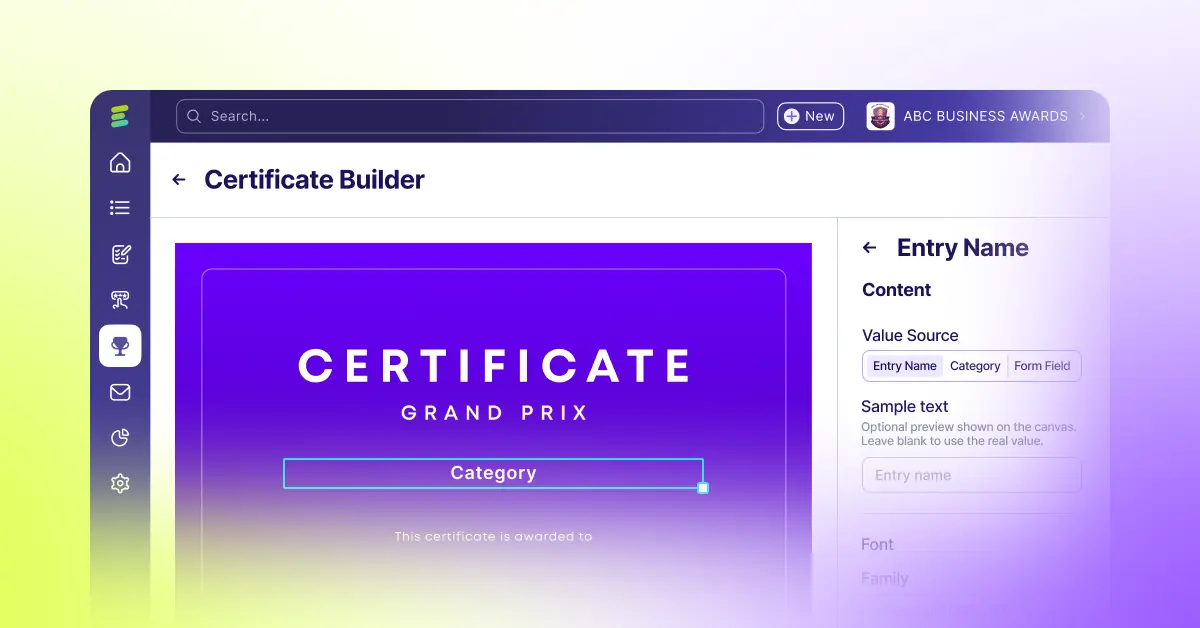
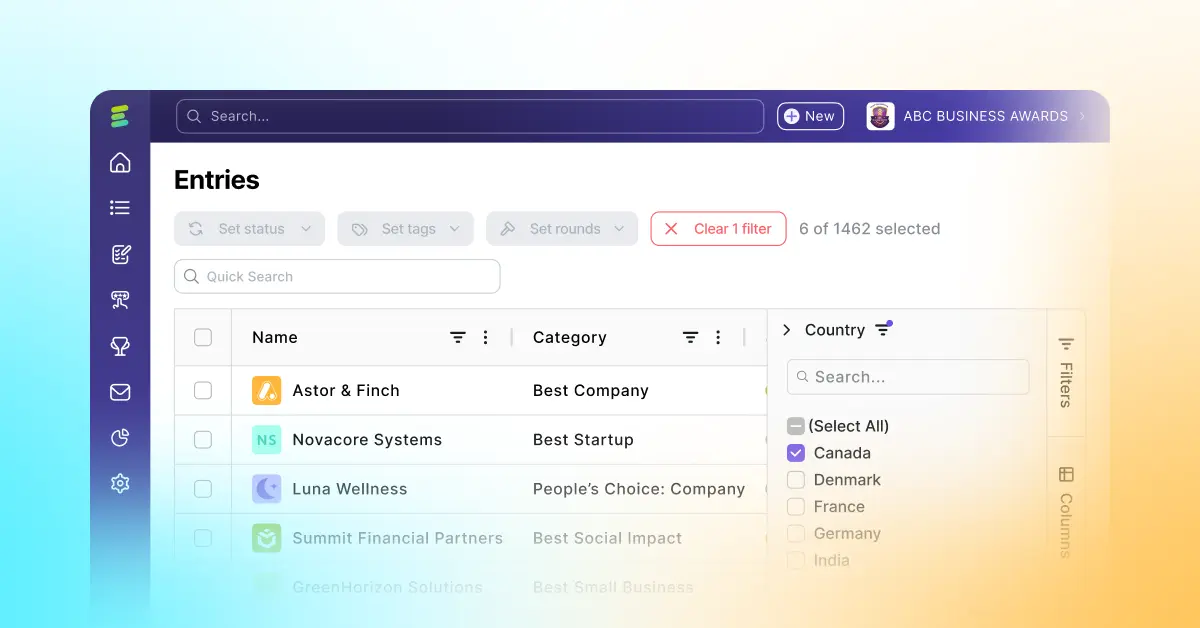
Evalato, which manages your whole awards management process from beginning to end, has multiple functionalities for this important stage of your program, including:
- Real-time view of voting progress and results — this will enable you to plan your announcement and pick just the right time to announce the results and winners;
- Tags to mark applications and label winners — this makes it even easier to stay on top of things when sorting results and winners and minimizes the potential for mistakes;
- Reliable results calculation after each round — you can trust Evalato to calculate the results, regardless of which of the software’s 6 voting types you decide to go with so that you can have peace of mind when announcing results and winners;
- Automated email communication that takes care of messages to everyone; Evalato’s emails are completely customizable so that you can craft them to perfection, sending just the right message to all your program’s entrants, winners or otherwise;
- A ready-made public applications page — regardless of your decision about trophies and ceremonies, Evalato has you covered with a professional-looking ready-made webpage where you can proudly showcase results and winners.
At the end of the day
A good award announcement will help you finish your awards program with a bang , which is why you need a reliable solution to handle it, along with the rest of your program. Evalato has what it takes to do the job and do it well. If you’re still on the fence about using awards management software for your program, though, you can test Evalato for free or book a demo and get all your questions answered.



.jpg)



.png)